Three resets cover almost everything an LG dishwasher does wrong, and they are not interchangeable. A locked panel needs the control lock button. A cycle stuck mid-wash needs a cancel and drain. A machine that answers nothing needs power cut at the circuit breaker. The exact button sequence is model-specific, so LG’s own support content sends you to the owner’s manual rather than to one universal method. Start with the cheapest of the three.
When to reset an LG dishwasher
A reset on a dishwasher clears state, not faults. It ends whatever the machine is doing, releases a lock, or takes power away from the control board so its logic starts fresh, and that is the whole of it. Reach for one when the behavior looks like confusion: a panel that ignores presses, a cycle that will not end, a code that appeared right after a power flicker. Do not reach for one when the machine is reporting something physical, because it will keep reporting it.
Knowing how to reset an LG dishwasher is mostly knowing which of the three matches what you are seeing.
What a reset cannot do
It cannot unblock a drain, close a latch that will not close, or open a water valve somebody shut off. In each of those the code returns as soon as the machine runs its self-test, because the condition is still there to find. A reset also does not wipe your settings back to factory defaults. What it buys you is a clean starting point, which is worth having before you diagnose anything else.
- Look at the control panel and note the code or icon before you clear anything.
- If the display shows CL or a padlock, hold the control lock button rather than cutting power.
- If a cycle is stuck, hold Start until the drain begins, then let it finish.
- If the panel still ignores you, switch off the circuit breaker or unplug the power cord.
- Restore power, run a short cycle, and watch whether the same code comes back.
LG dishwasher reset methods comparison
The three side by side, cheapest first.
| Reset method | Action required | Duration | Primary function |
|---|---|---|---|
| Cycle cancel and drain | Press and hold the Start button, printed as a Cancel/Drain button on some models | A 3 second hold, then a drain of about 2 to 3 minutes | Stops the active cycle and clears standing water from the tub |
| Control lock toggle | Press and hold Dual Zone, or whichever button your model uses for the lock | A 3 second hold | Unlocks control panel buttons that were locked except Power |
| Hard power cycle | Switch off the circuit breaker, or unplug the power cord | Long enough for the display to go dark; your manual sets a wait if it names one | Restarts a control board that has stopped responding |
How to reset an LG dishwasher control panel without unplugging
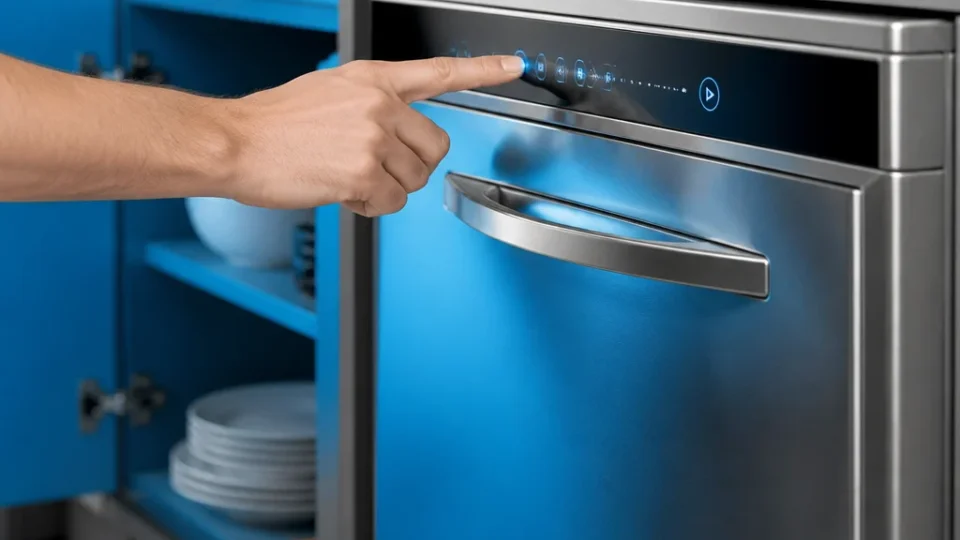
Most panel problems never need the breaker. LG support materials indicate that on certain LG dishwasher models, holding Start for 3 seconds cancels the cycle and begins a forced drain that lasts about 2 to 3 minutes, after which the machine stops. That one action ends the cycle and empties the tub, which is what people usually mean when they say the machine is stuck. Hold the button, then leave it alone while the pump works, since interrupting the drain halfway puts you back where you began with the same water in the tub.
Cancel and drain with the Start button
Depending on the model, the button that does this is printed as Start or as a Cancel/Drain button, and the owner’s manual is the place to confirm which one your machine uses. Close the door before you hold it so the pump can run. When the panel goes quiet and the tub is empty, the cycle is cleared and you can start a new one. If the pump stops with water still standing, the reset did its part and you have a drain problem rather than a control problem.
How to hard reset an LG dishwasher
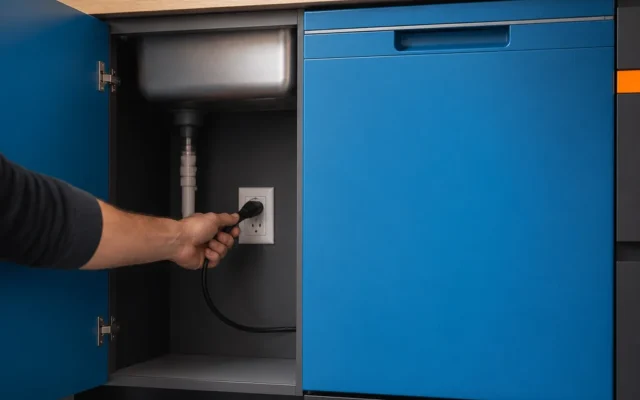
Cut power when the control panel is unresponsive and the control lock is not the reason. Switch off the breaker feeding the dishwasher, watch the display go dark to confirm you found the right one, and leave it off before switching it back. Your manual gives the wait if your model specifies one, and what matters is that the board actually loses power rather than that a particular number of minutes passes.
Turning the machine off at its own power button does not do this, because the board stays live.
Circuit breaker versus power cord
Both cut the same power and differ in what they cost you to reach. Pulling the power cord is faster and lets you see that the machine is isolated, but the socket usually sits behind or under the unit, sometimes behind a panel, and sometimes near water. The circuit breaker is the only route on a hardwired installation, and it keeps you away from the appliance entirely. Use the cord if it is dry and accessible, and otherwise use the breaker, noting which one you switched.
How to turn off control lock on an LG dishwasher
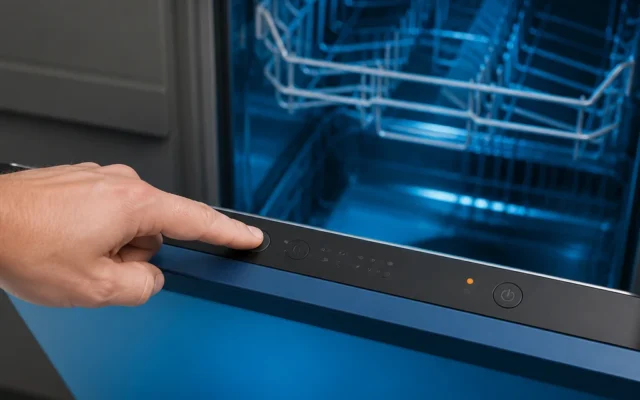
LG says some dishwasher models use a control lock feature that locks all buttons except Power, and on those models it is turned on or off by holding Dual Zone for 3 seconds. A locked panel is the most common reason a dishwasher looks dead while its display still lights up: CL or a padlock appears, nothing responds to a press, and the Power button keeps working normally. Hold the lock button until the code clears, then start your cycle.
If your panel has no Dual Zone button
LG support content shows that some LG dishwasher reset guidance is model-specific, including a manual that refers users to the owner’s manual for exact button sequences rather than giving one universal reset method. Scan the control panel for a padlock symbol or the word Lock printed under a button that also does something else. If nothing is marked, look the sequence up against your model number instead of holding buttons at random.
What to do if an LG dishwasher error code will not clear
A code that comes straight back is not a failed reset. It is the machine finding the same condition on its next self-test, and the usual candidates are a blocked drain, a door latch that is not engaging, or a water supply valve left closed. Check those before you reset again. A code that clears and returns hours later is a different animal, and what is worth recording there is what the machine was doing each time it appeared.
Two resets on the same code is the point where a third stops being useful.
When to call an authorized technician
If your LG dishwasher continues to display error codes or remains unresponsive after a full hard reset, consult your model’s owner manual or contact an authorized LG appliance repair technician to inspect the internal components. A board that does not come back after losing power is not something more button holds will reach.
Frequently asked questions
How do I cancel a running cycle and drain my LG dishwasher?
Press and hold the Start button for 3 seconds. On certain LG dishwasher models that cancels the cycle and begins a forced drain lasting about 2 to 3 minutes, after which the machine stops. Keep the door closed and let the drain finish rather than interrupting it. If water is still standing when the pump stops, the cancel worked and the drain path is the next thing to chase.
Why are my LG dishwasher control panel buttons not responding?
The control lock is the first thing to rule out. LG says some dishwasher models use a control lock feature that locks all buttons except Power, so a display showing CL or a padlock explains a panel that ignores every press. A door latch that is not fully engaged and a control board that has stopped responding are the other two causes, and only the last of them calls for a power cycle.
Does resetting an LG dishwasher clear permanent error codes?
It clears codes left behind by a power interruption or an interrupted cycle. It does not clear a code that describes something still true, such as a failed drain pump, a clogged hose or an active leak, because the dishwasher raises it again on its next self-test. That difference is useful in itself: a code that survives a reset is telling you to stop resetting and start looking.
Match the reset to the symptom and you will rarely need the breaker at all. A locked panel wants its lock button, a stuck cycle wants a cancel and drain, and only a control panel that answers nothing justifies cutting power. If the code outlives all three, the machine is not confused, it is reporting.
Last reviewed: 2026-08-29 (revisions: 1)